Are you having trouble logging into your business’ Facebook Page?
Facebook is an important platform for connecting people and businesses. Facebook provides a powerful platform for businesses to advertise, communicate with customers, and build brand recognition.
How-To Access Your Facebook Page
Open your preferred web browser (e.g. Chrome)
Navigate to Facebook.
Enter the email address or phone number associated with the account.
Tap “Log In.”
Success! You will be logged into your personal Facebook account.
Switch to Use Facebook as the Page
From here, you will have to navigate to your page.
Tap your profile photo in the top-right corner, then select “See All Profiles”
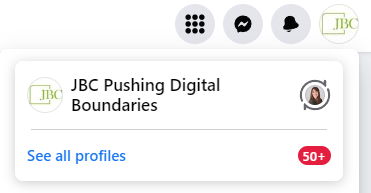
Select the profile to ‘switch’ into. You’re now using Facebook as the brand, and not you personally.
To learn more about how social media marketing will benefit your business grow, book a 15-minute FREE consultation with JBC.